Software teams move fast—designing, building, iterating, and deploying at a relentless pace. But localization? Historically, it lagged behind. Files had to be exported, reviewed, managed, reimported, and checked again. The process took time, cost money, and slowed everything down.
This new Localyzer release changes that dynamic entirely.
It makes shift-left localization not just an aspiration, but a daily reality.
Localization now begins in design, flows automatically into development, and stays perfectly aligned with every product change. At the same time, translations become more accurate—and drastically less expensive—thanks to smart prompting and visual context.
Let’s break down what’s new and why this release matters.
Localization That Moves at the Speed of Development
The centerpiece of this release is a simple idea:
Localization shouldn’t be a separate workflow. It should be a service that moves automatically with design and development.
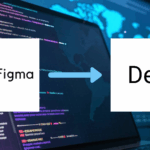
Localyzer now translates content from the moment it’s created in Figma. Those translations follow the design directly into development, generating actual resource files—source and target—in formats like JSON, .resx, .properties, and more. Developers receive accurate strings early, without extra tickets, email threads, or manual updates. We call this FIGMA to Dev.
Applying LLMs for Software Translation — the Right Way
Large Language Models (LLMs) can produce natural, fluent translations—but applying them to software strings is uniquely challenging. UI text is short, often ambiguous, and lacks context.
Localyzer solves that problem by automatically adding prompting to every string. It delivers accurate, contextual translations that developers can rely on without spending time fixing or reworking text.
- Three tiers of context prompting:
- Visual context from Figma/UI images (plus screen shots and automated captures), linked to each string
- System level prompting
- Project level prompting
You get:
- High-quality translations immediately available in your repositories
- Automated updates when strings change or new content is added
- Significantly reduced translation costs and turnaround times
This means translations generated by an LLMcome back significantly more accurate on the first try. And because Localyzer using an LLM has no minimums, teams no longer need to batch files or wait for “translation cycles. Localization happens continuously, keeping up with design and coding. Human-in-the-loop reviews (including visual context) and edits can also be applied from a TMS or LocalyzerQA, with edits replacing any priorly delivered individual strings. Lingoport has localization partners that can optimize the process.
Figma to Dev: A Seamless, End-to-End Pipeline
Design teams were already using the Localyzer Figma plugin to preview translations in their UI. With this release, the workflow goes further.
Designers:
- See the impact of localization in the design with highly accurate translations
- Provide visual context to LLMs and human reviewers
Developers:
- Receive auto-generated resource files directly from designs
- Avoid translation rework later in the development cycle
- Stay perfectly in sync with the design team’s finalized content
- Make changes if needed, and translation is automated.
Localization managers:
- Ensure translation starts early
- Leverage better context for better accuracy
- Reduce manual intervention and human error
It’s a true Figma-to-Dev pipeline—one of the most significant advancements in shift-left localization to date.
Flexible Translation Workflows That Match Your Needs
Every team approaches localization differently. This release supports them all:
- Direct-to-LLM translation
- LLM + TMS workflows, with contextual prompts passed automatically
- Human review at any stage—optional, not mandatory
Teams can optimize for cost, speed, quality, or any combination.
But the goal remains the same: Give every team the freedom to localize precisely the way they want, without slowing down development.
Lower Costs Through Automation and Reduced Review
Because Localyzer adds more context and better prompting, translation quality improves immediately. That means:
- Fewer review cycles
- Reduced workload for human translators
- Less project management overhead
- Lower total localization spend
More automation. Fewer manual steps. Faster turnarounds. Better results.
This is the power of context-driven LLM translation.
Localization Without Bottlenecks
Localyzer ensures localization never slows down development. Instead, it accelerates the entire process—delivering accurate, contextual, and cost-effective translations from design to production.
📺 Watch FIGMA to Dev in action:
📘 Learn more about Localyzer Context, System, and project Prompting:
Shift-left localization is no longer a vision.
It’s here—and it’s automated.
If you want to automate your localization workflow, Localyzer is here to help. Contact our team to learn what it can do for you.can help you with all the processes. Reach out to our team, they’ll be happy to explain what Localyzer can do for your team.